
Working Copy Leganto December 2025 Release Notes
January 2026 Sneak Preview
-
Set "No list expected" in bulk using Course Bulk Update Task
Main Features
Instructors Can Set "No List Expected" from the LMS
December 2025 Leganto URM-204831
Leganto now enables instructors working in the LMS to indicate that a course is not expected to have a reading list. This enhancement helps distinguish between courses where a list is intentionally not required and courses where a list has not yet been created.
A new parameter,lms_no_list_expected(Configuration > Leganto > List Management > List Creation), controls whether this option is available to instructors. When the parameter is set to true, instructors see a new No list expected button on the Quick Start screen.
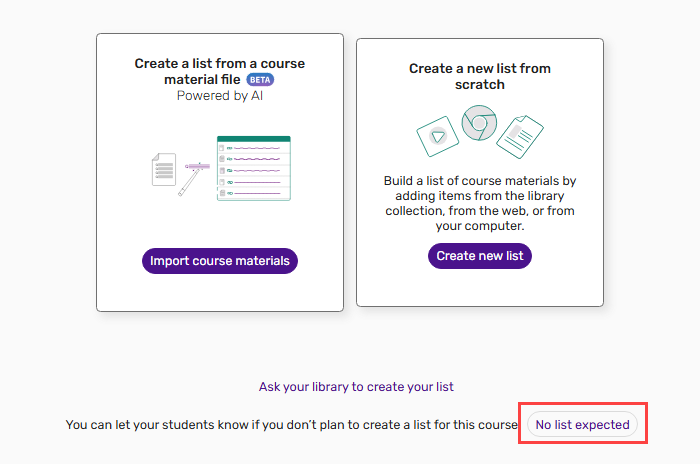
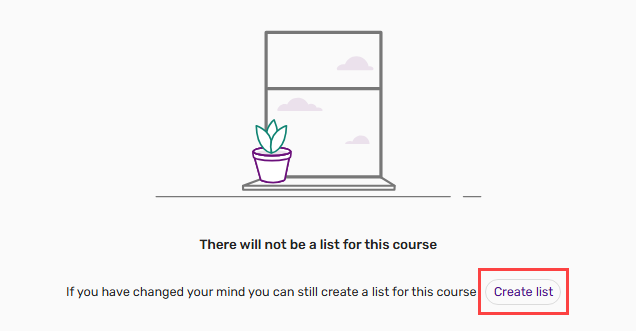
After selecting this button, instructors see a confirmation message:There will not be a list for this course. If they later decide to create a list, they can return to the standard Quick Start screen by selecting Create list.
This feature provides instructors with a clear and convenient way to communicate their intent directly within an LMS. It also helps libraries maintain accurate information about course activity, reducing the need for manual follow-ups and improving overall workflow efficiency. For more information, see Marking a Course as Not Expected to Have a List in an LMS.
Viewer for ePub Files
December 2025 Leganto URM-315526
Leganto now provides a viewer for viewing ePub files directly within the platform without needing to download them to view. With this enhancement, users can select View file to open ePub content in a new browser tab.

The new viewer includes handy features on the right-side pane, such as quick navigation between pages, a table of contents, and adjustable font sizes. The viewer also displays copyright information where applicable.
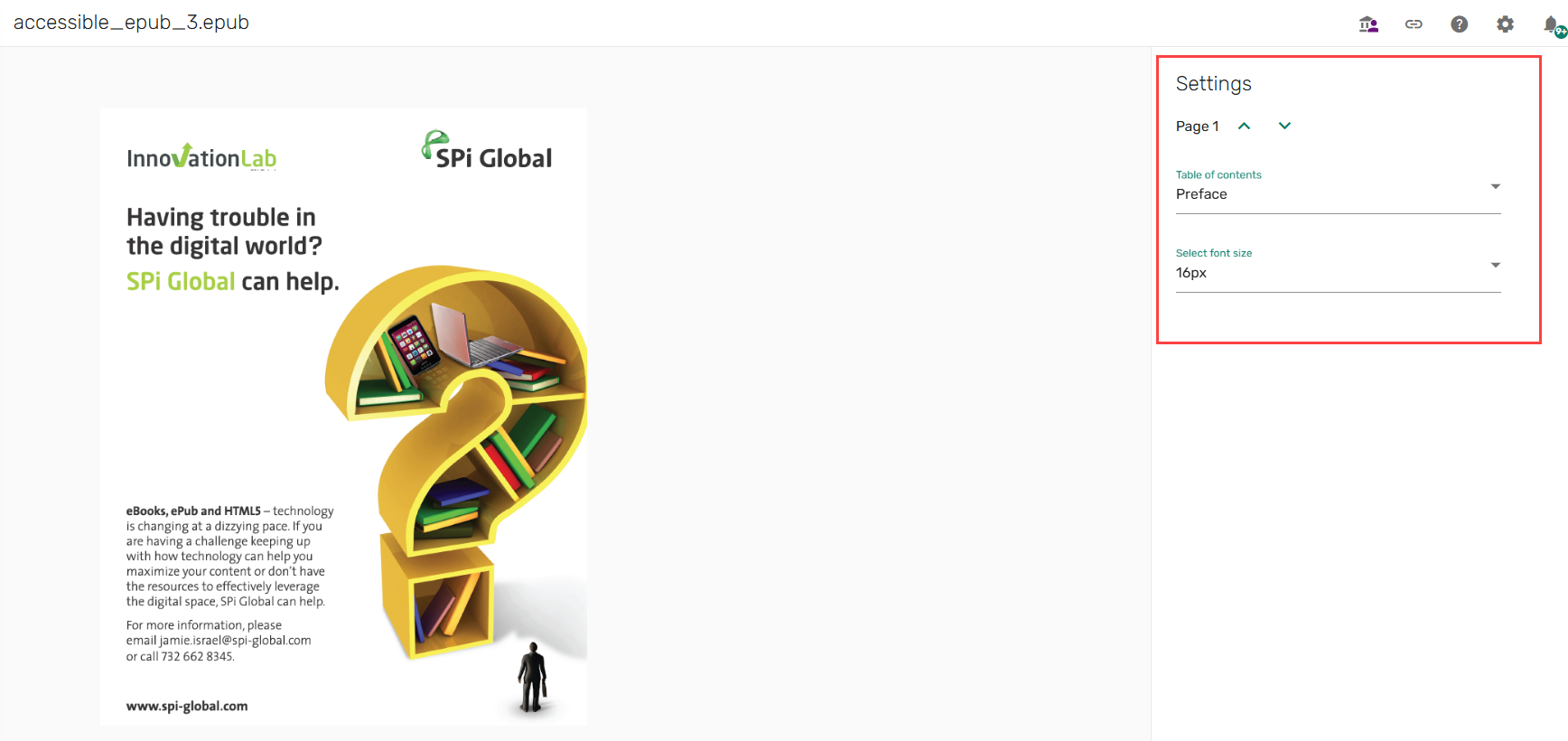
This enhancement improves accessibility by enabling users to engage with ePub content in a flexible, browser-based format that supports screen readers and text resizing. For details, see Viewing ePub Files.
Additional Enhancements
-
December 2025 Analytics and Insights URM-240430 Library staff can now build reports to track list processing workflows. For example, the library can now see which citations completed automatically and which were completed by a staff user, and how many citations were complete before the start of the term. To support list processing reports, new fields have been added to Course Reserves Subject Areas:
- Reading List Citations (Analytics > Access Analytics > Create > Analysis > Course Reserves > Reading List Citations)
- Citation Last Set to Complete By
- Citation Last Set to Complete Date
- Citation Sent to Library By
- Citation Sent to Library Date
- Reading Lists (Analytics > Access Analytics > Create > Analysis > Course Reserves > Reading Lists)
- Leganto Reading List Last Set to Complete By
- Leganto Reading List Last Set to Complete Date (Calendar)
- Leganto Reading List Last Set to Complete Date
- Reading List Citations (Analytics > Access Analytics > Create > Analysis > Course Reserves > Reading List Citations)
-
December 2025 Analytics and Insights URM-314950 Two new measures,Total Events and Active Instructors, are now available for Leganto Instructor Usage Events Subject Areas (Analytics > Access Analytics > Create > Analysis > Leganto Instructor Usage Events > Instructor Usage Events). New measures enable customers to get a distinct count of the instructors crossed with other values.For example:
- Active instructors per academic department
- Active instructors within a specific date range
- Active instructors who performed a specific event type
-
December 2025 Leganto URM-246563 Course rollover now includes support for library external tags. Administrators can configure how external tags behave during rollover with the new Library-External tags operation (Configuration > Leganto > List Management > Instructor Rollover Operations).

If the operation’s Default Value is set to All, all external tags are copied during rollover. If set to Blank, no external tags are copied. Administrators can also specify individual tag codes (for example,MAN,OPT,ROC) so that only those tags are copied.
When the Library-External tags operation is enabled, instructors see the Library External Tags checkbox under Information for Library when duplicating a course. When the checkbox is selected, tags are copied according to the configuration of the Library-External tags operation.

In addition, library external tags have been added to the Course Loader Integration Profile under the Select Tag dropdown.
This enhancement provides institutions with finer control over how library-managed metadata is preserved or reset during course duplication.
-
December 2025 Leganto URM-213653 Leganto now supports Harvard Business Publishing Educator in the Cite it! browser tool. This enhancement streamlines the process of adding teaching materials from Harvard Business Publishing Educator directly into Leganto reading lists.
-
December 2025 Leganto URM-235186 Leganto’s Cite it! browser tool now also supports the Norwegian Directorate for Education and Training (Utdanningsdirektoratet). This enhancement enables users to seamlessly include educational resources from the the Norwegian Directorate for Education and Training in their reading lists. All items from this site are identified as the Website type in Leganto.
-
December 2025 Leganto URM-222816 When adding or editing a citation, Leganto now displays a visual loading indicator while metadata is being retrieved from a DOI or ISBN.
After a user enters a DOI or ISBN, the ISBN field displays a spinner, and a skeleton placeholder appears in the other metadata fields until the information is loaded. During this process, all fields and buttons are temporarily disabled to prevent unintended edits.
This enhancement provides clear visual feedback that metadata is being retrieved and prevents users from entering data that may conflict with automatically imported information.
-
December 2025 Leganto URM-316670 The description for the proxy_url parameter (Configuration > Leganto > General > Settings) has been updated for greater clarity. The description now explains that the parameter applies only to external URLs and that links added from library discovery are proxied according to their configuration in Primo, which means that they are not affected by this setting.
-
December 2025 Leganto URM-247227 The Failed OAuth Check message displayed when verification against an LMS fails has been updated to match the New UI design.
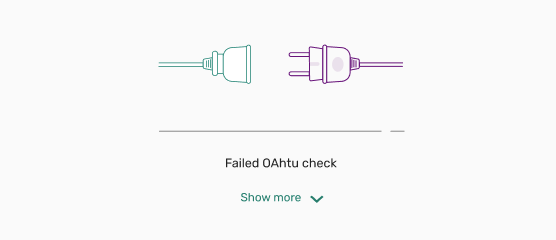
This enhancement ensures that users encountering authentication issues see a consistent message aligned with the New UI look and feel.
- December 2025 Leganto We removed several outdated reset options from the Reading List Bulk Update job as they are no longer used in Leganto. The following options have been removed from the Reset options section of that job:
- Reset student discussion
- Reset likes
- Reset number of citation views
In addition, the option Reset reading list visibility dates has been renamed to Reset reading list dates to better reflect its function.
Resolved Issues
| SF number | Description |
|---|---|
| / URM-313470 | URLs that ended with a period caused errors when users attempted to open them. This was fixed so that Leganto now ignores a trailing period, enabling such links to open correctly. |
| 08193161 URM-317431 | When copying a section that contains a citation with a Bolk tag, the tag was incorrectly copied to the new list, whereas copying the citation alone behaved correctly. This was fixed so that Bolk tags are no longer copied when copying a section. |
| 08209505 URM-317038 | When reassigning a list to a staff member, the note from the previous assignment remained in the new note field. Notes are now cleared when a list is reassigned, which prevents residual text from previous assignments. |
| 07831443, 08182786 URM-316774 | When an instructor rolled over a list with the Reset copyright status option, the new list’s copyright status was set to Not Determined, which prevented the Digitization Request button from appearing. This was fixed so that duplicated lists now correctly display the Digitization Request option when applicable. |
| 08184703 URM-316630 | When copying a section that contains multiple electronic resources into another list, the citations were incorrectly set to Draft instead of following the default Course Reserves automatic status. This was fixed so that copied sections now correctly apply the automatic status settings for electronic resources. |
| 08186243 URM-316528 | When downloading a PDF from Leganto, the file name was altered to include a prefix instead of keeping the original file name. PDFs now download with their original file names intact. |
| 08189910 URM-316418 | When manually adding multiple items of a type that has a mandatory field on step 2 (for example, Book Chapter), the workflow would hang on the second item, preventing progression to step 3. This was fixed so that multiple manual entries now complete successfully, including for citation types with mandatory fields. |
| 08177634 URM-316334 | In mobile view, long public notes would hide links and availability details, and there was no option to scroll down. This was fixed so that a scroll bar now appears, enabling users to access all item details regardless of note length. |
| 08171919 URM-316332 | When the Hide from Student checkbox was selected for a citation, the corresponding icon would disappear after refreshing the page. This was fixed so that the icon now remains visible after a page refresh. |
| 08183175 URM-316210 | In the Instructor view, the Suggestions icon sometimes displayed an incorrect count. This was fixed so that the Suggestions count now accurately reflects the number of suggestions. |
| 08181264 URM-316119 | Some labels like lti.user.error.missing and lti.user.error.unknown were missing from the New UI Labels table. These labels are now available in the New UI and can be edited as expected. |
| 08111506, 08181406 URM-316109 | In mobile view, the General Message Banner was displaying outside of a list, including on the All Lists and Favorites pages. The general message now only appears within the context of a list. |
| 08153470 URM-315007 | When a citation with copyright information was copied or duplicated to another list, the copyright data was lost and became editable. This was fixed so that the copyright information is retained and remains disabled for editing, just as it is on the original citation. |
| 08122607 URM-311655 | When using Cite it! to cite a specific Primo search result, the metadata was always taken from the first result on the page instead of the selected record. This was fixed so that Cite it! now retrieves the metadata from the Primo record currently being viewed. |
| 08012587 URM-248573 | When an instructor created a new item, uploaded a file, and submitted a copyright clearance request that was automatically approved, the item did not show as complete until the page was manually refreshed. Items now automatically update to Complete immediately after the copyright request is submitted. |
| 07942255 URM-245656 | When searching for CDI records in Leganto, some results were displayed without availability information. This was fixed so that Leganto now identifies these records and calls the appropriate API to retrieve availability before displaying the results. |
| 06694861 URM-191125 | When importing items from Scopus using Cite it!, some metadata was missing or incorrect in Leganto. This was fixed so that all available item metadata—including title, authors, publication date, publisher, pages, ISBN, journal title, volume, issue, and DOI—is now imported correctly from Scopus. |
